

What Time Is It?
🧒 For kids
- Look at the two hands on the clock.
- Tap the time that matches the clock.
- Read why. Then tap Next.
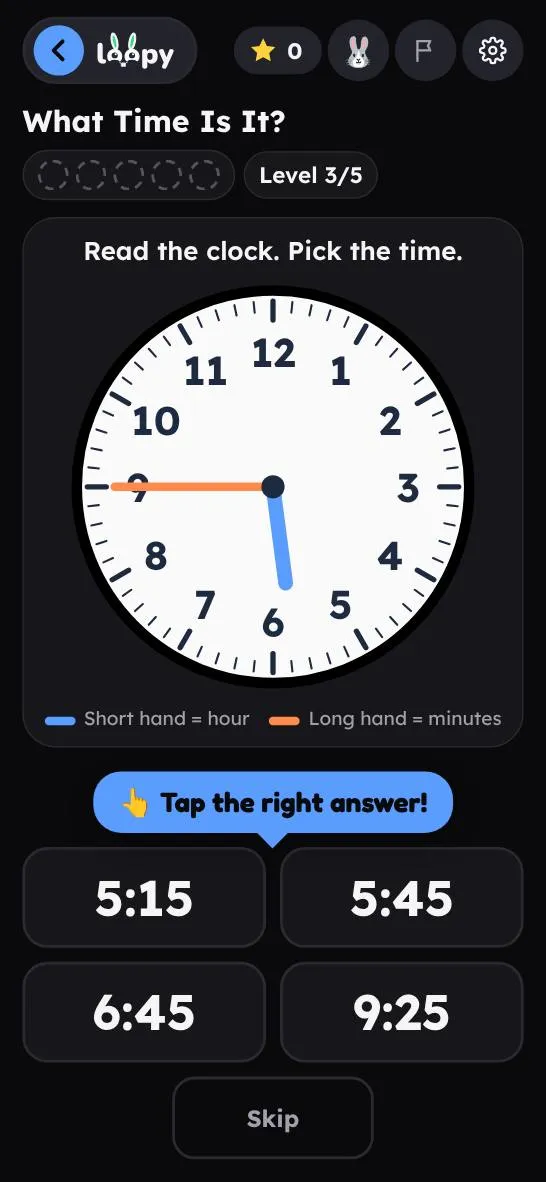
Learn to read a clock with hands. It starts with full and half hours. Later come quarter hours, 5 minutes, single minutes and 24-hour time.
How to play
Section titled “How to play”- Look at the clock. The short hand shows the hour. The long hand shows the minutes.
- Tap the time that matches the clock. There are 4 times to pick from.
- Read the short reason, then tap Next for a new clock.
Before you answer, the button says Skip. Tap it to get a new clock.
On a keyboard, press 1 to 4 to pick an answer and Enter to go on.
At the top, Last 5 shows the last 5 answers as dots: green for right, red for wrong.
When an answer is wrong
Section titled “When an answer is wrong”The right time turns green and your pick turns red. The game says the right time, like “Not quite. It is 3:25.” Under it, the game explains how to read the clock. Then tap Next.
The wrong times are the mistakes kids often make, like mixing up the two hands.
Each right answer gives a star. A missed clock comes back later, and it shows in Try again on the home page. See Try again.
Age levels
Section titled “Age levels”| Level | Age | What comes up |
|---|---|---|
| 1 | 6 and under | Hours and half hours, like 3:00 and 3:30 |
| 2 | 7 | Quarter hours, like 3:15 and 3:45 |
| 3 | 8 | Every 5 minutes, like 3:25 |
| 4 | 9 | Every minute, like 3:27 |
| 5 | 10 and up | 24-hour time. The question says “Pretend it is morning” or “Pretend it is afternoon”, and a badge over the clock says it too. The answers look like 07:30 or 15:27. The half of the day belongs to the question, not to the real time |
After 10 right in a row, or 18 of the last 20 right, the game goes up a level by itself. After 3 wrong in the last 5 it offers an easier one. See Levels.
Settings
Section titled “Settings”Tap ⚙ Settings in the game to choose:
- Level: Hours & halves, Quarter hours, Every 5 min, Every minute or 24-hour time. The level is kept for each age.
- Show minute numbers on the clock: adds small minute numbers around the edge, to help count.
- Read aloud: a speaker button reads the question and the 4 times, like “Read the clock. Is it 3:30, 4:30, 2:30 or 3:00?”. So a child who cannot read yet can still pick.
- Print worksheet: 20 clocks on a page, each with a line to write the time, and the answers on page 2. The worksheet always uses 12-hour times, because a paper clock cannot show the time of day.
- Reset score: clears the score and the Last 5 dots.
Example help text
Section titled “Example help text”- “The short hand is just past 3. The long hand points to 5, which is 25 minutes.”
- “The short hand is between 4 and 5, so the hour is still 4. The long hand points to 9, which is 45 minutes.”
- “The long hand points to 12, so it is 4 o’clock.”
- “After 12 noon add 12 to the hour: 3 + 12 = 15, so it is 15:25.”
Something wrong?
Section titled “Something wrong?”Tap the 🚩 flag at the top of the game to tell us. On a small screen, find Report a problem in ⚙ Settings. See Report a problem.